
UV DTF stickers
Custom UV DTF Stickers & Decals
Make your design part of the product. Buzz Branding’s UV DTF decals let you add custom artwork to suitable hard-surface items, from bottles and tumblers to packaging, gifts and promotional products.
Upload your artwork, arrange different designs on a UV DTF gang sheet and choose from the available sheet lengths. Whether you need repeated business logos or a mix of individual decals, you can plan your layout before placing an order.
Looking for T-shirt or hoodie transfers? Explore DTF Transfers.
What is UV DTF?
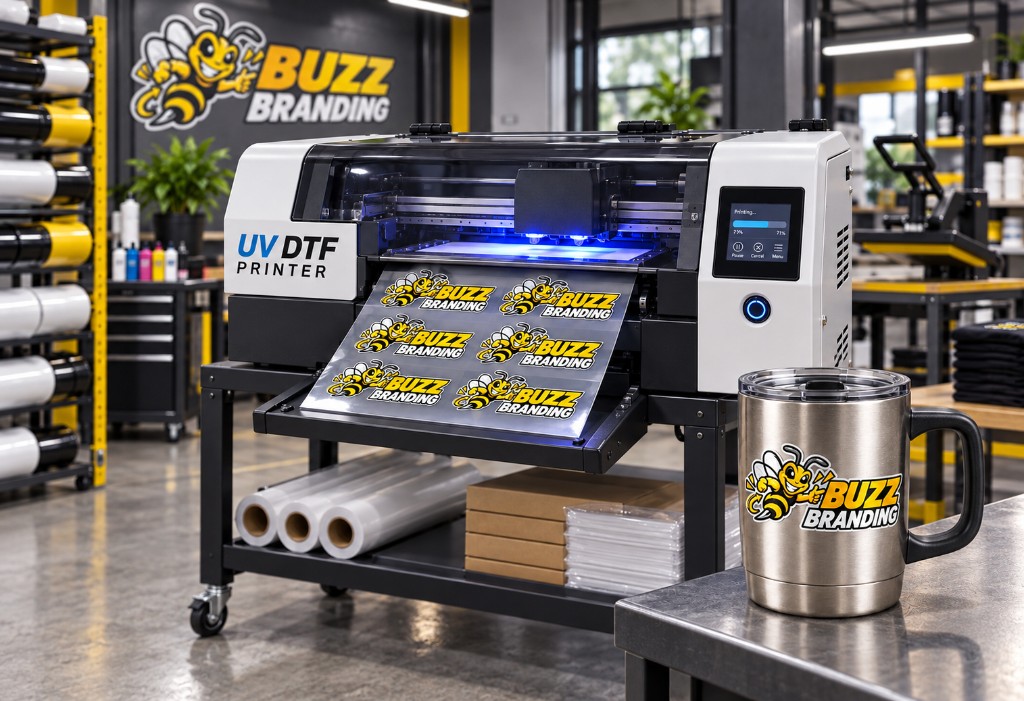
UV DTF is a transfer-printing process used to create decals for compatible hard surfaces. Your design is printed onto film, then transferred onto a suitable item using its adhesive and application film. It does not need a heat press for application.
This makes UV DTF useful when you want to personalise a product that cannot be decorated with a garment heat transfer. It is different from regular DTF: garment DTF is designed primarily for suitable fabrics and is applied using heat and pressure, while UV DTF is designed for suitable hard surfaces.
Looking for T-shirt or hoodie transfers? Explore DTF Transfers.
Where can UV DTF decals be used?
UV DTF works best when a design can make good contact with a clean, smooth, compatible surface. Customers commonly consider it for:
- glass bottles and jars;
- metal tumblers and flasks;
- suitable ceramic mugs and containers;
- certain plastic items and packaging;
- promotional products and corporate gifts;
- selected product labels, display items and accessories.
Suitability depends on the exact material, coating, shape and how the item will be used. Textured, porous, heavily coated or flexible surfaces may not give the same result. Test the actual item before committing to a large quantity, especially if it is an unfamiliar product.
Build your UV DTF gang sheet
A gang sheet lets you arrange several decals together on one sheet. Repeat a logo in different sizes, combine a range of product designs or prepare artwork for multiple customers in one layout.
Buzz Branding’s flexible-length ordering means you can select an available sheet length that suits the designs you need. Rather than designing around a compulsory full metre, plan your artwork, check the available lengths in the builder and choose the option that fits your project.
Before ordering, check the physical size of every decal. A design intended for the front of a tumbler may need very different dimensions from one intended for a small jar lid or product box.
Who are UV DTF decals for?
Businesses and product makers
Add a consistent logo or product design to suitable packaging, merchandise and customer gifts. Arrange repeat decals together so the sizes and quantities are easy to review.
Events and promotions
Create branded items for an activation, celebration, launch or campaign without designing each decal as a separate sheet.
Creators and small brands
Test a new product idea, prepare a mixed collection or brand a limited batch of compatible items. If surface performance is important, apply and assess a sample before producing a larger run.
How to prepare artwork that transfers well
Start with the clearest original design you have. Size it for the item it will decorate and check that small text remains readable at that finished size. Use a genuinely transparent background wherever you want the product surface to show around or through the artwork.
Strong shapes and clear spacing make small decals easier to see and apply. Avoid relying on tiny isolated dots, extremely thin lines or delicate gaps that may not reproduce and transfer as intended. Review the design against the colour of the product: a dark logo may get lost on a black bottle, while pale lettering may lack contrast on a white mug.
A screen preview helps you plan, but it cannot guarantee an exact colour match. If a particular brand colour is important, ask about a physical sample before a large order.
The online builders accept transparent PNG files only (max 120 MB per upload). JPEG, PDF, SVG, AI and PSD cannot be uploaded directly. The builder can warn about low resolution, but it does not automatically fix backgrounds or restore detail missing from a low-resolution source file.
How to order
-
01
Choose the item you want to decorate
Measure its usable area and note the material, colour, finish and whether the surface is flat, curved or tapered.
-
02
Prepare your designs
Use clear artwork at the intended print size, with transparency where needed.
-
03
Arrange your sheet
Upload the designs into Buzz’s UV DTF builder, set their physical sizes and organise them within the printable area. Already have a complete layout? You can also upload a ready-made gang sheet.
-
04
Review and order
Check spelling, duplicates, quantities, margins and the price shown at checkout before submitting the order.
Applying a UV DTF decal
A well-prepared surface and careful placement make a difference. As a general approach, make sure the item is clean and dry, position the design before pressing it down, apply even pressure across the decal and remove the application film carefully.
Curved or tapered products need extra attention: align the artwork before it grips the surface and work across it gradually. Treat initial placement as important, because lifting a partly applied design can damage it.
Follow the application instructions provided with Buzz Branding’s actual UV DTF film.
A detailed, film-specific application guide is not published on this site yet. Use the instructions supplied with your order, or ask production if you need clarification for a particular surface.
Care and product suitability
UV DTF decals are decorative transfers. Their performance depends on the surface, preparation, application and the conditions the item encounters afterward.
Do not assume that a decorated item is dishwasher safe, microwave safe or suitable for direct contact with food. Until Buzz has tested and approved a specific combination of decal and product, clean decorated drinkware gently by hand and keep decals away from drinking rims and interior food-contact areas.
If an item will be used outdoors, washed frequently or handled roughly, speak to Buzz about the intended use before ordering in quantity.
UV DTF or garment DTF?
Choose UV DTF when you need a decal for a compatible hard-surface product such as a suitable bottle, jar or promotional item. It is applied without a heat press.
Choose garment DTF when you need artwork for a suitable T-shirt, hoodie, tote bag or other fabric item. Garment DTF is applied with a heat press.
UV DTF is not the replacement for a fabric transfer. If you are unsure which product to choose, tell us what you want to brand.
Frequently asked questions
Will UV DTF stick to any surface?
No single decal is suitable for every surface. Smooth, clean, compatible hard surfaces are the best starting point. Test textured, coated, porous or unusual items before placing a large order.
Can I put different designs on one sheet?
Yes. You can arrange different designs or repeat the same artwork, provided each decal fits within the printable area with enough room to separate it.
Can I order less than a metre?
Buzz’s UV DTF builder offers flexible-length ordering. Select from the lengths displayed in the builder and review the price before checkout.
Do I need a heat press?
No. UV DTF decals are applied to suitable hard surfaces without a heat press. Follow the application instructions supplied for the specific film.
Can I apply a decal to a curved tumbler?
Often, but the size, curvature and finish of the tumbler matter. Measure the placement area and test your item if you plan to brand a larger batch.
Are UV DTF decals dishwasher safe?
Do not assume so. Heat, detergents and repeated washing may affect the decal. Unless Buzz has tested and approved the exact application, hand-wash the decorated item.
Can I use UV DTF on clothing?
Choose garment DTF for suitable fabrics. UV DTF is intended for compatible hard surfaces.
Give your products the Buzz treatment
From one custom logo to a sheet of designs for your next product range, start with a layout that fits what you want to create.